Free
$0/ mo
TagFlow puts an SEO check and keyword ideas right on Etsy: a listing score, clear fixes for your title, description and photos, and tags worth testing.
SEO check is free and unlimited. 5 AI analyses a day on the free plan.
A summary bar sits above your Etsy search: total competition, the price range, how many listings have few favorites and how many are new. Every product card gets its views, favorites and age.
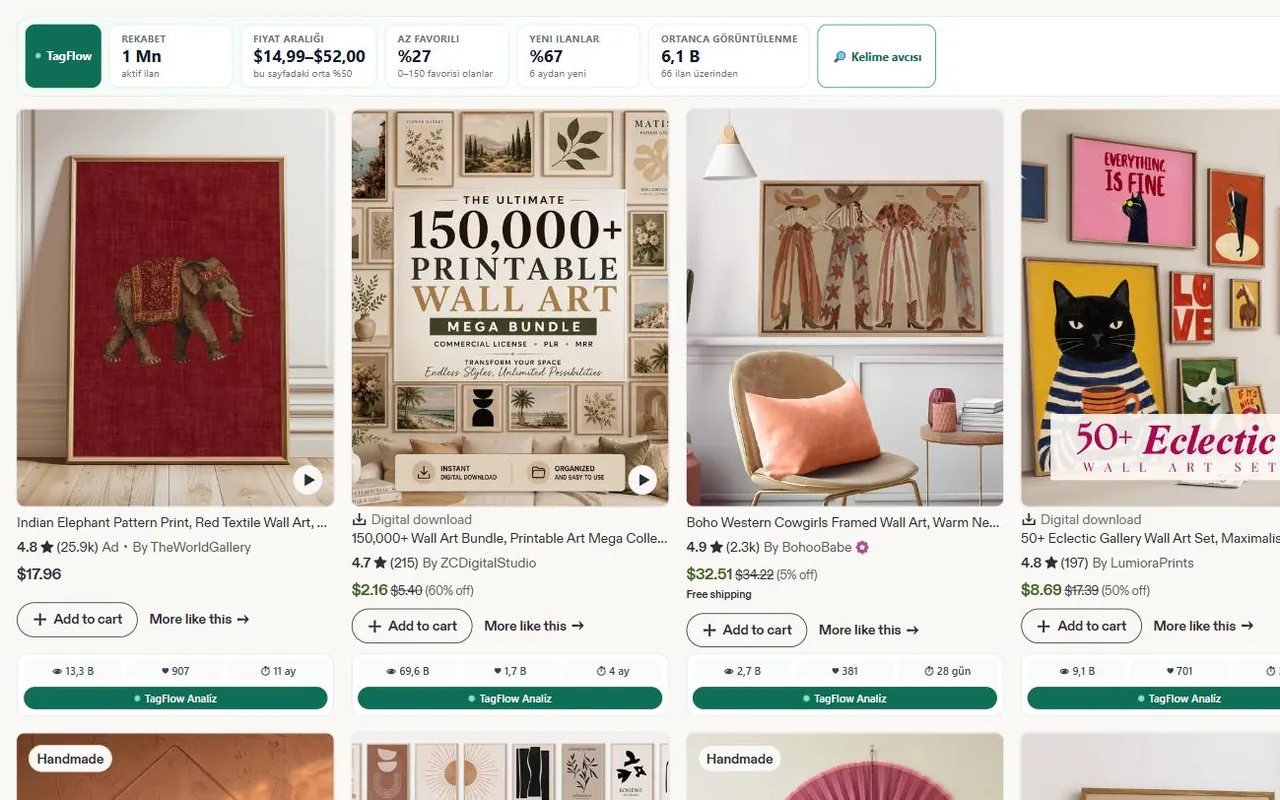
Open a listing, click TagFlow Analyze, and get a score with the fixes that matter most on top. The check follows fixed rules, so the same listing always gets the same result.
Free · no credits used
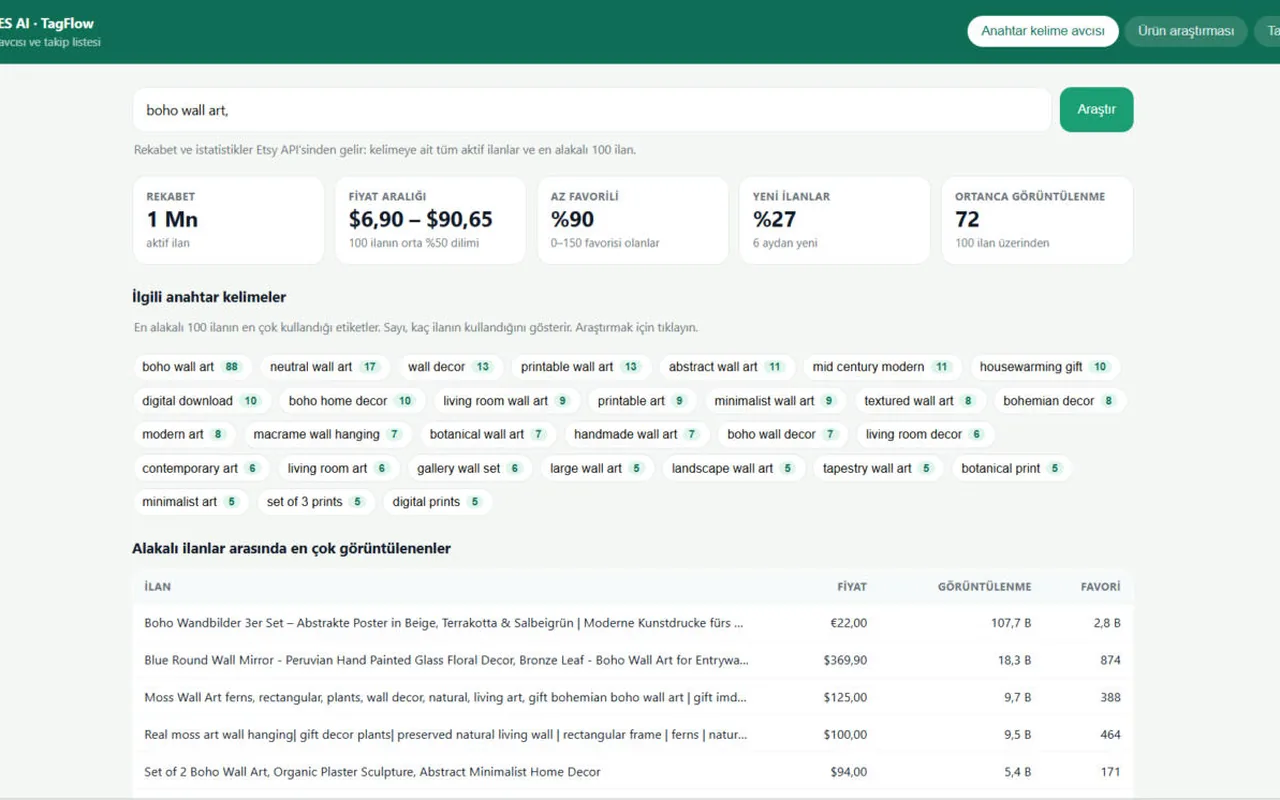
TagFlow estimates demand and competition for the listing's keywords and suggests 18–25 opportunity tags: strong bets, competitive terms and niche long-tails. Copy the best 13 in one click.
Scores are AI estimates, not Etsy search volume. You decide what to test.
Tags & counts: free · AI ideas: 1 analysis
Ask for three title ideas and a stronger description opening. TagFlow only uses what your title and description already say, so it won't invent materials, sizes or promises.
1 AI analysis
$0/ mo
$3.99/ mo
$5.99/ mo
$7.99/ mo
Payments are processed securely via Polar. Cancel anytime.
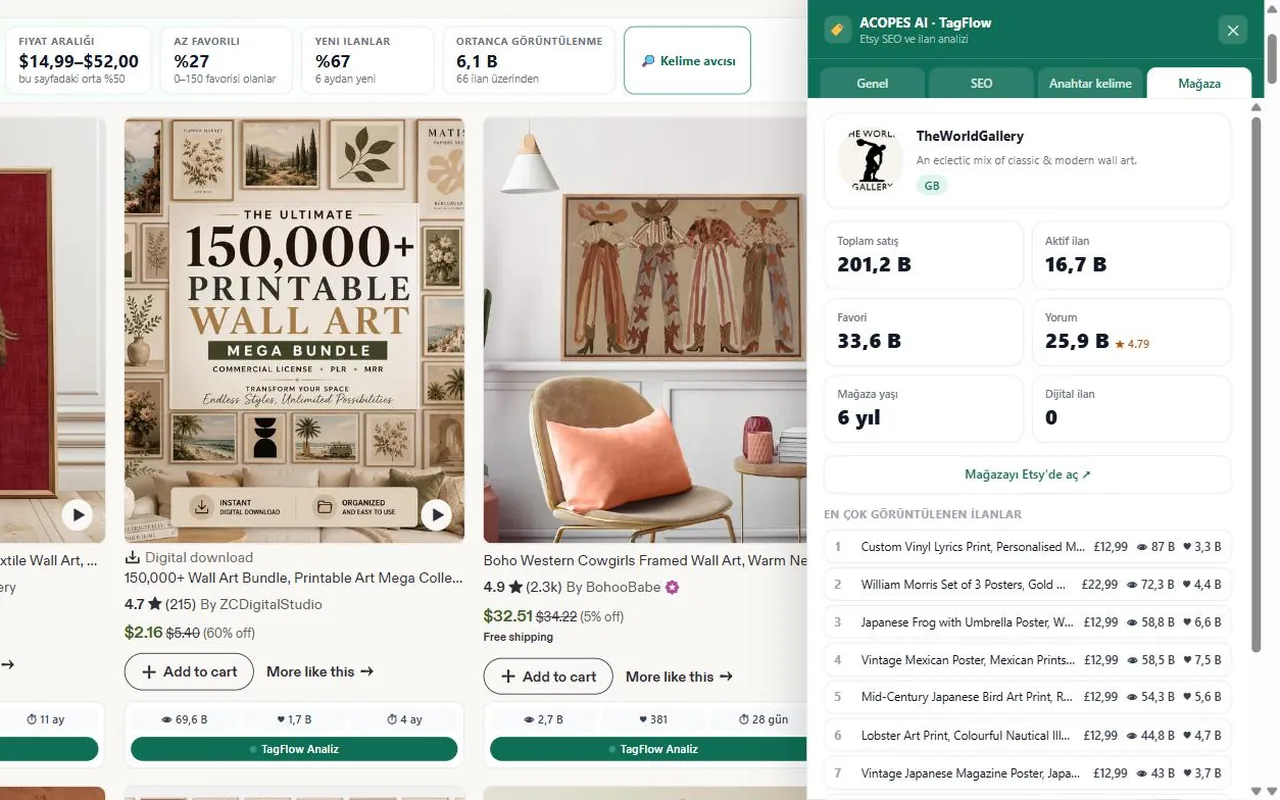
Etsy no longer shows other shops' tags on listing pages. TagFlow is honest about that: on other listings it checks what is visible (title, description, photos, video) and analyzes the keywords in the title and description.
No. TagFlow only reads the page you are looking at. You copy what you like and make the change on Etsy yourself.
No. There is no Etsy login or shop connection. A free TagFlow account is only needed for the AI features.
Each keyword analysis or title suggestion uses one. The SEO check never does, and a failed AI call is not counted.
The extension and this site are available in English and Turkish. The extension follows your Chrome language.
TagFlow is the browser extension of ACOPES AI, not a separate product: one account, one subscription. ACOPES researches what to make, produces the files, and publishes them to your own Etsy shop as drafts; TagFlow is the same thing on the Etsy page you are already looking at.
Open the ACOPES AI app